My Saved Pokemon Teams
View, manage, and analyze the Pokemon teams you have built and saved.
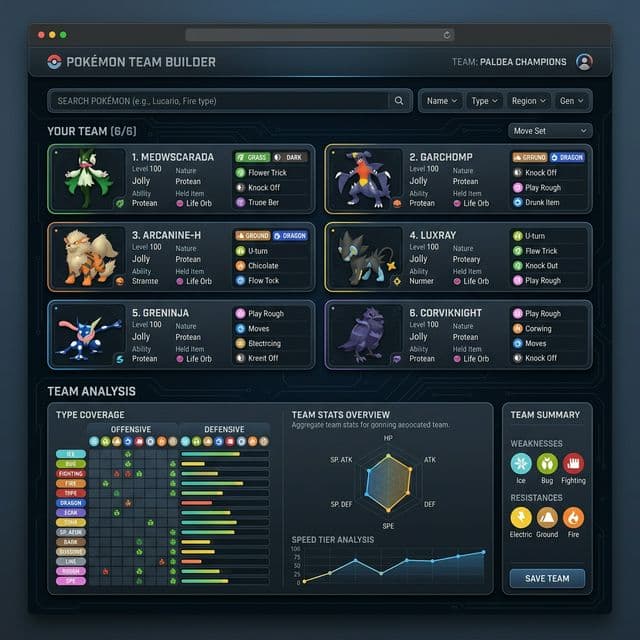
How to use Saved Teams
Your personal hub for team building projects.
🤔 What is this tool?
A local storage vault for all the Pokemon teams you create in our Team Builder.
🎯 What is it used for?
Keeping track of Nuzlocke teams, competitive VGC concepts, or just your favorite playthrough squads.
🛠️ How to use it?
You don't need to create them here. Build a team in the Team Builder, click Save, and it will appear on this page automatically.
⏰ When to use it?
When you want to recall a past strategy or share a team composition with a friend.
Frequently Asked Questions
Where are my teams saved?
Your teams are saved locally in your browser's local storage. You do not need an account.
Will I lose my teams if I clear my cookies?
Yes. If you clear your browser's local storage or cache, your saved teams will be deleted.
Can I access my teams on my phone?
Because they are saved locally, teams built on your computer will not sync to your phone.
How many teams can I save?
You can save hundreds of teams, limited only by your browser's data quota.
Can I edit a saved team?
Currently, you can view or delete teams. Editing a saved team will be added in a future update.
Can I export my teams to Showdown?
Showdown export functionality is currently in development.
Why is a team missing?
If you used incognito mode or a different browser, the team will not appear here.
Does saving teams cost money?
No, all tools on generatepokemon.net are completely free.
Are my teams public?
No, they are stored entirely on your device and cannot be seen by anyone else.
Can I name my teams?
Yes, when saving a team in the Team Builder, you are prompted to give it a custom name.